introduction
If you are a worker registered on the E-Shram Portal, you must ensure that your details are always up to date. The E-Shram Card provides social security benefits to unorganized workers across India, such as accidental insurance and financial assistance. Sometimes, users need to update their name, address, mobile number, or bank details. The good news? You can now update your E-Shram Card directly from your mobile in just a few minutes!
Thank you for reading this post. Don't forget to subscribe!
In this article, you’ll learn how to update your E-Shram Card using your mobile, along with some important tips to avoid mistakes.
What Is an E-Shram Card?
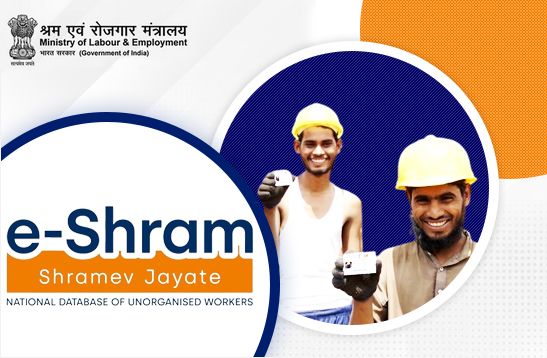
The E-Shram Card is issued by the Ministry of Labour and Employment, Government of India, for unorganized sector workers. It provides a unique 12-digit UAN number to help the government deliver social welfare schemes efficiently.
If you are a construction worker, domestic helper, rickshaw driver, or gig worker, you can easily register and update your details through the E-Shram Portal.
Official Portal: https://eshram.gov.in
Why Update Your E-Shram Card?
Updating your E-Shram Card ensures that your information remains correct and that you continue receiving government benefits. You should update your details if:
- You have changed your mobile number or address
- You’ve switched your bank account
- You’ve made any correction to your name, Aadhaar, or DOB
- You want to link your new Aadhaar number
Keeping your information accurate is essential for receiving insurance and welfare benefits without delay.
Step-by-Step: E-Shram Card Update Using Mobile
Here’s how you can update your E-Shram Card online using your smartphone:
Step 1: Visit the Official E-Shram Portal
Go to https://eshram.gov.in on your mobile browser.
Step 2: Click on ‘Update e-Shram’
On the homepage, tap on the “Update e-Shram” option. You will be redirected to the update page.
Step 3: Enter Your Aadhaar Linked Mobile Number
Enter your registered mobile number linked with your Aadhaar and complete the OTP verification process.
Step 4: Log In Using OTP
After verification, you’ll see your dashboard. Choose the details you want to update — such as name, address, occupation, or bank details.
Step 5: Make Changes and Save
Once you’ve edited your details, click on “Submit” to save your updated information.
Step 6: Download Updated Card
After successful submission, you can download your updated E-Shram Card directly on your mobile for future use.
Important Tips While Updating
- Ensure your Aadhaar is linked with your mobile number for OTP verification.
- Use the official website only — never share your details on third-party portals.
- Double-check all entries before submission to avoid rejection.
- Keep your bank account active for receiving benefits.
Official Source and Support
For any technical issue or update query, you can visit the official Ministry of Labour and Employment E-Shram Portal at
👉 https://eshram.gov.in
or contact the helpline number 14434 for direct support.
This is the only official source to update or download your E-Shram Card.
Final Words
Updating your E-Shram Card from your mobile is quick, easy, and free. Whether you need to correct your name, change your address, or update your bank details, the process takes just a few minutes on the official portal. Stay updated and continue enjoying the government benefits that the E-Shram Card offers in 2025.
Check out our latest blog on How to Update Aadhaar Card Online – Step by Step Guide
more about Business & Economy
About the Author