Introduction
In 2025, applying for a PAN card online has never been easier. Thanks to digital tools, Aadhaar integration, and paperless verification, you can get your PAN (Permanent Account Number) with minimal hassle — all from your home. In this guide, I’ll walk you through the step-by-step process, eligibility, documents required, fees, and how to track your PAN application effectively.
Thank you for reading this post. Don't forget to subscribe!
1. Why PAN is Important
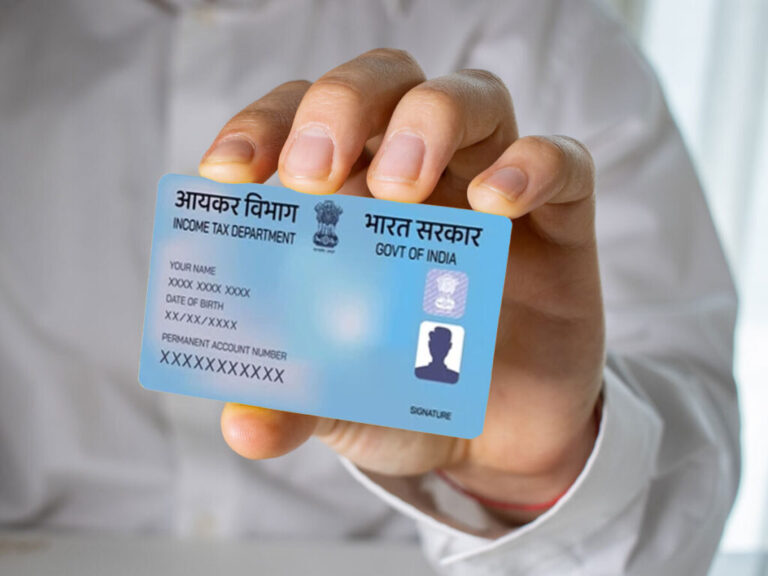
PAN is a 10-digit alphanumeric identifier issued by the Indian Income Tax Department. It’s mandatory for many financial activities like filing income tax returns, opening bank accounts, buying/selling property, and more. The PAN system helps track financial transactions and curb tax evasion.
2. Who Can Apply / Eligibility
- Any Indian citizen (resident) who does not already have a PAN
- Foreign citizens (NRIs / OCIs) using Form 49AA
- Even minors (through parent/guardian) can apply for a PAN card
Note: From 1 July 2025, Aadhaar is mandatory for new PAN applications. Without Aadhaar, a new PAN will not be issued.
3. Documents Required
You’ll need proof of identity (PoI), proof of address (PoA), and proof of date of birth. Common accepted documents include:
- Aadhaar card
- Passport
- Voter ID
- Driving license
- Utility bills (electricity, water)
- Birth certificate
For foreigners, passport and foreign address proof may be used
4. Step-by-Step Guide: How to Apply for PAN Card Online in 2025
Applying for a PAN card online in 2025 is a simple process. Follow these easy steps to complete your application smoothly on the official Protean (formerly NSDL) portal.
Step 1: Visit the Official PAN Portal
Go to the official Protean eGov (NSDL) PAN portal to start your application process.
🔗 Apply for PAN on Protean eGov
This is the only authorized government-linked website to apply for a PAN card online in India.
Step 2: Select the Application Type
On the home page, select your application form type:
- Form 49A – For Indian citizens
- Form 49AA – For foreign citizens (NRI/OCI applicants)
You can also apply through trusted platforms like ClearTax for guided support.
Step 3: Enter Personal Details
Fill in all required details carefully — including your name, father’s name, date of birth, address, email ID, and mobile number.
Make sure these details exactly match your Aadhaar card to avoid delays or rejection.
Step 4: Upload Documents / Complete e-KYC
Next, upload scanned copies of your Proof of Identity (PoI), Proof of Address (PoA), and Proof of Date of Birth (DoB).
If you use your Aadhaar card, you can verify instantly through OTP-based e-Sign.
Learn more about e-Sign and Aadhaar-based verification at
Step 5: Pay the Application Fees
Choose your preferred payment method — credit card, debit card, net banking, or demand draft.
The fee for Indian citizens applying online is approximately ₹101 (including taxes).
For physical card delivery or international addresses, charges may vary.
Step 6: Submit the Application & Get Acknowledgment
After successful payment, submit the form and you’ll receive a 15-digit acknowledgment or token number.
Use this number anytime to track your PAN application status on the official tracking page –
For quicker updates, you may also visit PAN Card Express which provides real-time status checking.
Step 7: Courier Physical Documents (if Required)
If you didn’t use the e-KYC (paperless) option, print your acknowledgment and send it with supporting documents to the address mentioned on the portal (Protean / NSDL).
Paperless e-KYC applicants don’t need to send any documents by post.
✅ Pro Tips for Hassle-Free Application
- Double-check all details before submitting the form.
- Ensure your Aadhaar and PAN details match perfectly.
- Always apply only through official or verified websites to avoid fraud.
5. Fees & Charge (2025)
- For a physical PAN card (Indian address) via paper submission: ₹107 (incl. taxes) ClearTax
- For paperless online mode: ~ ₹101 ClearTax
- For e-PAN only (no physical card): lower fees, e.g. ₹66 or ₹72 depending on mode ClearTax
- For foreign addresses: cost is higher (₹1,017 or so) ClearTax+1
Note: If applying via instant e-PAN (via Income Tax e-Filing portal using Aadhaar), it’s free.
6. Track PAN Application Status
After submission, use your token/acknowledgment number and visit the NSDL / Protean tracking portal to check status.
Once PAN is allotted, you’ll receive an email / SMS. If you opted for a physical card, it’ll be dispatched.
7. Tips & Common Mistakes to Avoid
- Make sure your Aadhaar is linked, and details (name, DOB) match exactly.
- All uploads should be clear and legible.
- Don’t miss sending physical documents if requested.
- Beware of fake emails claiming “download PAN” — always use official portals. The Press Information Bureau (PIB) recently warned about phishing mails disguised as PAN download offers.
- Don’t apply for multiple PANs — that’s illegal and invite penalty
8. Sample External Link (Official Source)
For more information or to begin your application, check the official PAN card services portal by Protean / NSDL: Protean Online PAN Services
Conclusion
Online PAN application in 2025 is streamlined, secure, and largely paperless — especially for those with Aadhaar. Just follow the steps carefully, upload correct documents, and track your status
Check out our latest blog on How to Update Aadhaar Card Online – Step by Step Guide
more about Business & Economy
About the Author